
 I will look into technology designed to help seniors with hearing, sight and mobility impairments. I have very little knowledge in this field. After browsing the Internet for quite sometime, I found an online Canadian company with a range of products . If you look at the section showing the most popular products, you may find something of interest to you.
 The Kobo eReader is an exception. Early on, they expanded their reach beyond Canada and the United States. They also diversified the delivery system by providing software that is used on a lot of devices. In other words you can subscribe to the Kobo online ebook store and download ebooks to your eReader or any other device of your choice. Kobo is a Canadian Company with a great marketing strategy and hopefully it will be around for a longtime.
 When it comes to using a tablet it is very practical if you are going to do a little of this and a little of that. Don’t buy a tablet if you are writing a 300 page autobiography. However browsing the internet, listening to a good audio book, playing games, emailing, taking pictures, in other words any activity that is simple to do is just fine on a tablet.
 There is also the practical side of everyday use, should you choose a desktop or a laptop ? Will you take a little snooze in the afternoon with your laptop, oops !, on the floor. Who wants to keep buying computers. Do you have a vision or hearing impairment ? What devices are most suitable in this case. I will write about All of these issues.
In 2011, Bard college completed an in-depth interface evaluation on software for use by seniors. This study used three of the most popular software products, they are as follows: Eldy, Pointerware and BigScreenLive. For access to details on the study, click here.
The following is a quote on page 42, from the Bard College study, it says the following: “Concerning user confidence, PointerWare had the highest before and after study change of the three programs, suggesting people became the most confident upon using the program”.
Presently you can get access to both Eldy and Pointerware at their respective Websites. Both software products are available in French and in English.
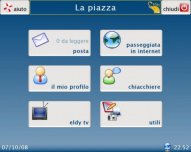
Eldy is software developed by a group of volunteers primarily in Italy and in Europe. As mentioned above, it is not as easy to use as the Pointerware software, participants in the study found the navigation more difficult. However, it is free of charge.
Pointerware has been developed by two engineers in Toronto (Rupsingh & Beath). They developed their software with the feedback of senior users. It is being used by facilities for seniors across Canada as well as other countries and in private homes. You can buy the software or simply get a monthly subscription at reasonable rates.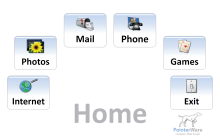
You can use Pointerware free of charge for one month. If you like Pointerware you can buy the software via my Website with a –% discount. If you decide to try one or both of the software products outlined in this blog, I would like feedback on your experience. You can send me an email or simply post a comment on my blog. (If you buy the Pointerware software with the link on my blog I receive a percentage of each sale).


 techno55plus.info